
Preset
A Preset is a re-usable configuration that defines a participant’s experience in a Meeting. It determines:
- The meeting type they join (Video, Audio, or Webinar)
- Actions they can perform (permissions and controls)
- The UI’s look and feel, including colors and themes, so the experience matches your application's branding.
Presets belong to an App, and they are applied to participants — not to meetings.
You can assign the same Preset to multiple participants when creating them through the Add Participant API. Participants in the same Meeting can have different Presets, allowing each user to have a distinct role and experience.
Example: Large Ed-Tech Classroom
- Teacher uses the
webinar-hostpreset — they can share media and access host controls. - Students use the
webinar-participantpreset — they cannot share media but can use features like chat. - Teaching assistant uses the
group-call-hostpreset — they can share media but don’t have full host privileges.
A set of default presets are created for you, when you create an app via the Cloudflare dashboard ↗.
You can also create a preset using the dashboard ↗ or the Create Preset API.
curl https://api.cloudflare.com/client/v4/accounts/$ACCOUNT_ID/realtime/kit/$APP_ID/presets \ -H 'Content-Type: application/json' \ -H "Authorization: Bearer $CLOUDFLARE_API_TOKEN" \ -d '{ "config": { ...<preset-configuration-json> }'We provide a UI-based editor to create and manage the presets in the Cloudflare dashboard ↗.
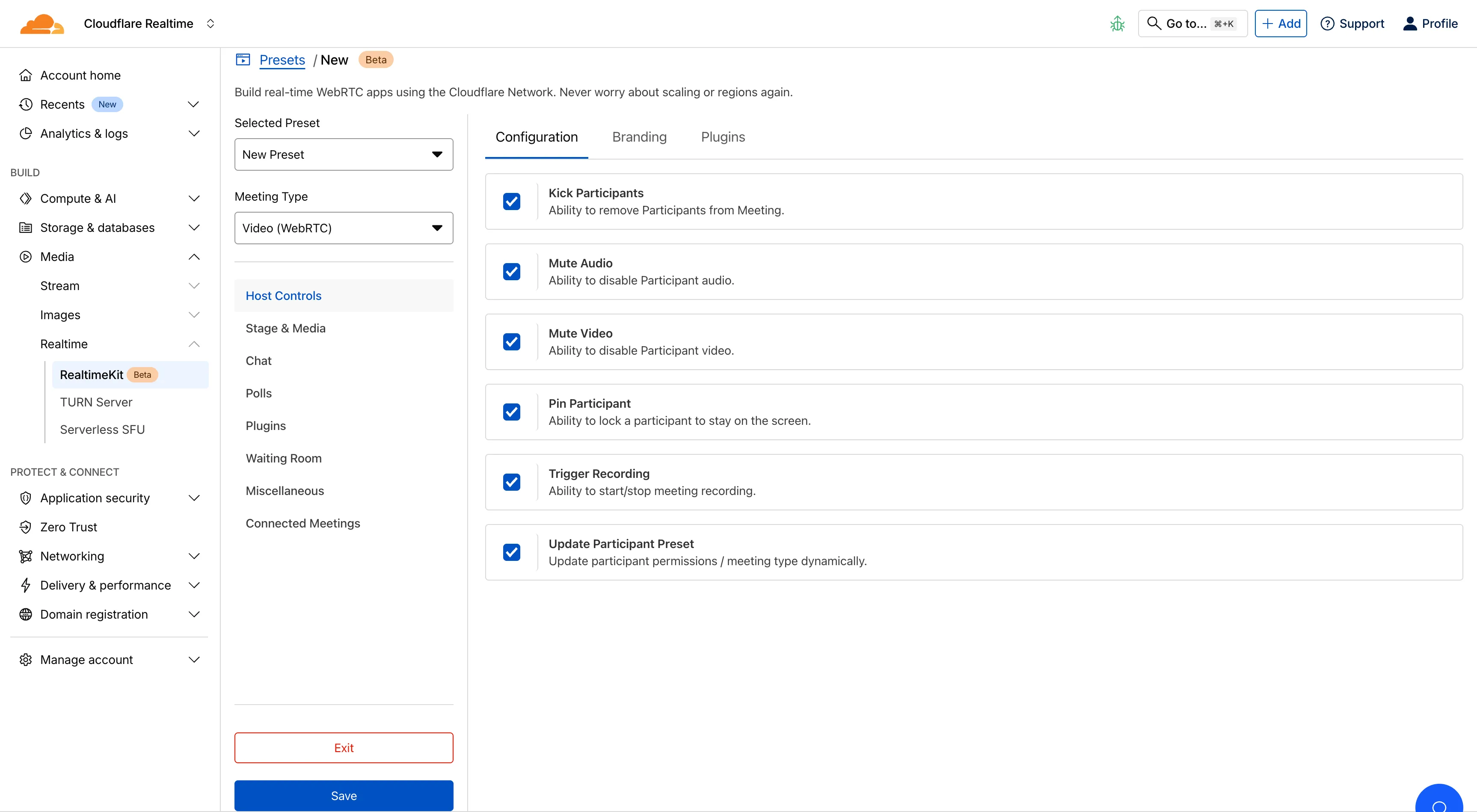
The permissions are divided into the following categories:
-
Host Controls: These permissions allow the user to control the meeting, manage participants, and perform administrative actions like kicking users, muting video/audio for others and more.
-
Stage Management: Large meetings can be configured with a virtual stage. Participants on the stage can share their audio and video, while participants off the stage can view this media and still use features like chat, polls, and plugins.
Users can request to join the stage, host can add/remove users from the stage at any point. Read more about stage management in Meetings.
-
Chat: RealtimeKit allows users to send and receive messages in real time. You can also send private messages (visible only to a specific user). You can configure who has access to send & messages and receive various kinds of messages.
-
Polls: Allows user to configure who can create, view and interact with polls in the meeting.
-
Plugins: Plugins are interactive real-time applications that run inside the meeting to make collaboration easier. RealtimeKit lets you build your own plugins and also offers built-in options like Whiteboard and Document Sharing.
You can control which plugins a participant is allowed to view, open, or close.
-
Waiting Room: A waiting room allows participants to join a meeting before they’re admitted, giving hosts control over who enters and when. It helps manage access, reduce interruptions, and ensure the meeting starts smoothly.
Hosts can admit or remove participants at any time, and you can configure who should bypass the waiting room automatically. Read more about waiting rooms in Meetings.
-
Connected Meetings:
Beta Read more about connected meetings in Meetings.
-
Miscellaneous: Miscellaneous permissions let you fine-tune additional aspects of the participant experience that don’t fall under specific categories.
These options control capabilities like - editing names, viewing the participant list, syncing tab views, enabling transcriptions, and other supplementary features that enhance how users interact within the meeting.
After learning about Meetings and Sessions, you can explore the following next steps:
- Add Participants to a Meeting – Manage who can join, their roles, and the access controls they inherit.
- Get started with RealtimeKit SDKs – Integrate RealtimeKit into your web or mobile app with just a few lines of code.