
Configure payload logging in the dashboard
-
In the Cloudflare dashboard, go to the Security rules page.
Go to Security rules -
(Optional) Filter by Managed rules.
-
Search for the managed ruleset you want to configure. Look for a rule with an Execute action.
-
Select the rule name (containing the name of the managed ruleset).
-
At the bottom of the page, select Configure payload logging.
-
After reading and understanding the implications of enabling payload logging, select one of the available options:
-
Generate key pair using your web browser: Generates a key pair (a private and a public key) in your browser and configures payload logging with the generated public key.
-
Use my own public key: Enter a public key generated by the
matched-data-clicommand-line tool.
-
-
Select Next.
-
If you generated a key pair in the browser, copy the displayed private key and store it safely. You will use this private key later to view the decrypted payload content.
-
Select Done, and then select Save.
-
Log in to the Cloudflare dashboard ↗, and select your account and domain.
-
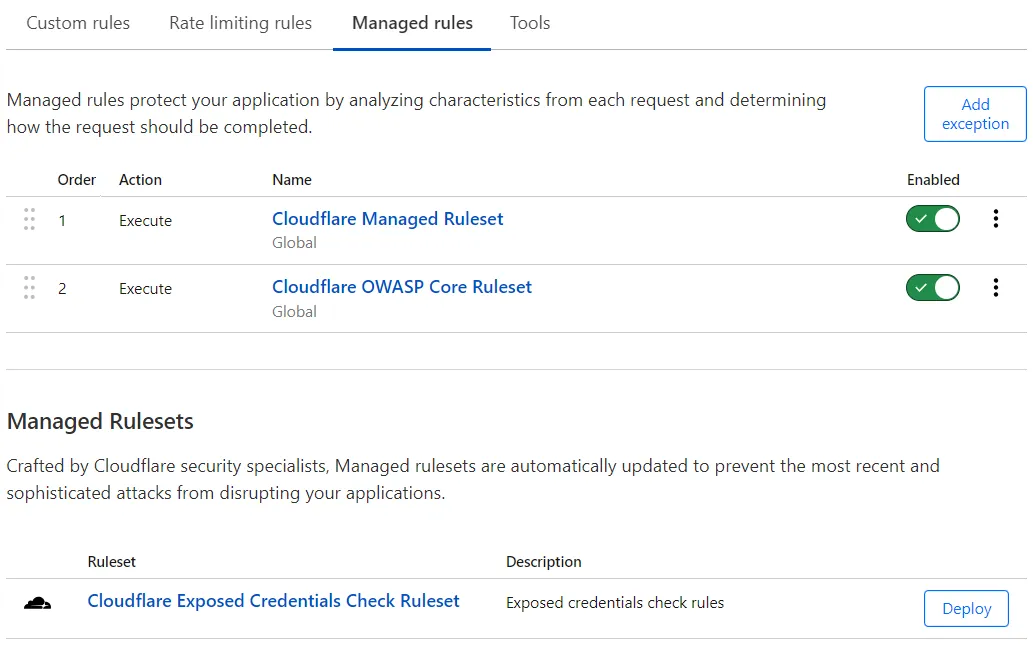
Go to Security > WAF > Managed rules tab.
-
To configure payload logging for a ruleset you had already deployed in the WAF, select the managed ruleset name.
-
At the bottom of the page, select Configure payload logging.
-
After reading and understanding the implications of enabling payload logging, select one of the available options:
-
Generate key pair using your web browser: Generates a key pair (a private and a public key) in your browser and configures payload logging with the generated public key.
-
Use my own public key: Enter a public key generated by the
matched-data-clicommand-line tool.
-
-
Select Next.
-
If you generated a key pair in the browser, copy the displayed private key and store it safely. You will use this private key later to view the decrypted payload content.
-
Select Done.
-
If you are deploying the managed ruleset where you configured payload logging, select Deploy. If you configured payload logging for a ruleset you had already deployed, select Save.