
How AI Search works
AI Search is a managed search service. Connect a website, an R2 bucket, or upload your own documents, and AI Search indexes your content for natural language queries.
AI Search consists of two core processes:
- Indexing: An asynchronous process that converts your content into vectors and keyword indexes for search. Indexing runs automatically when you connect a data source or upload files.
- Querying: A synchronous process triggered by user queries. It retrieves the most relevant content using vector search, keyword search, or both, and optionally generates a response.
Indexing begins automatically when you connect a data source or upload files through the Items API.
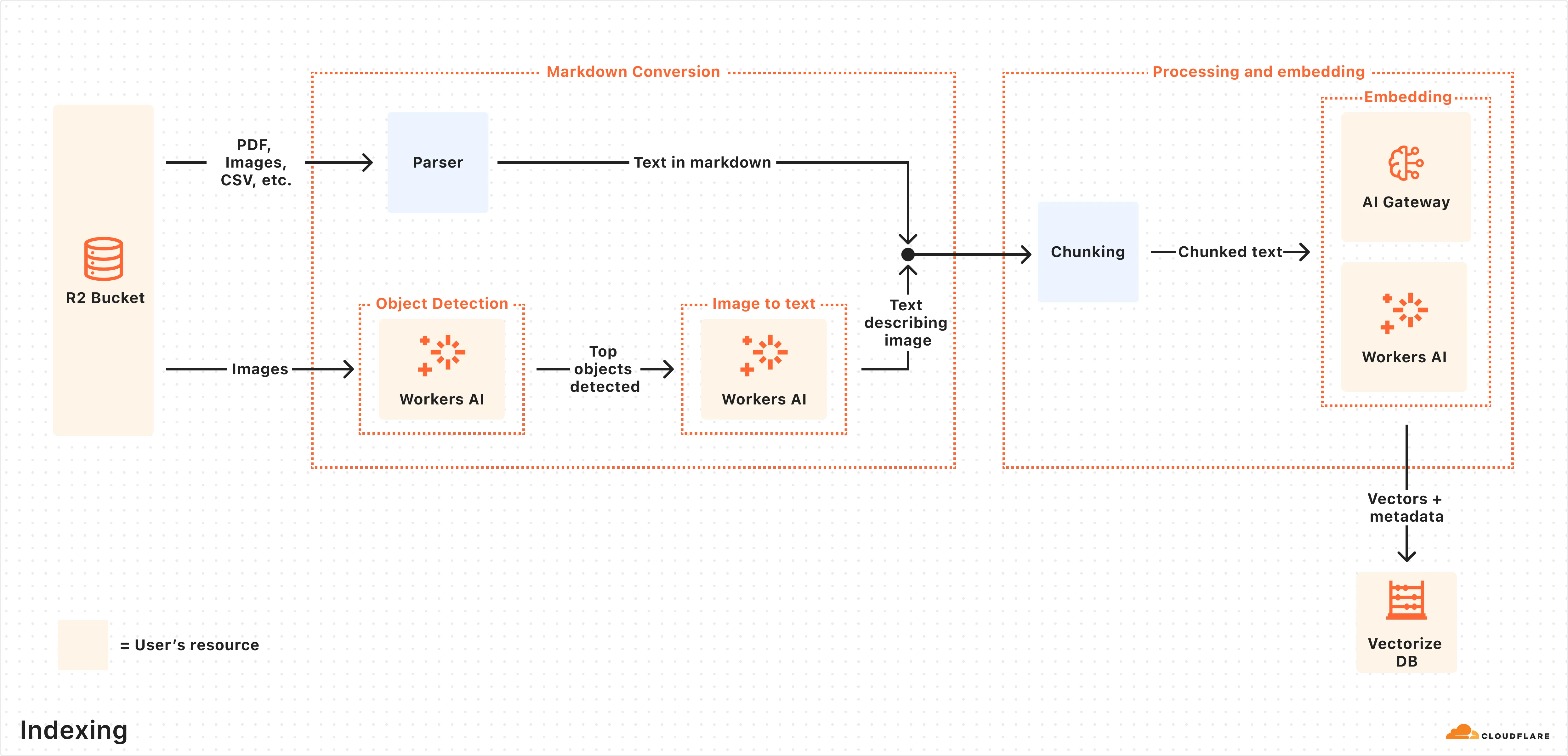
Here is what happens during indexing:
- Data ingestion: AI Search reads from your connected data source or receives files uploaded through the Items API.
- Markdown conversion: AI Search uses Workers AI's Markdown Conversion to convert supported data types into structured Markdown. This ensures consistency across diverse file types. For images, Workers AI is used to perform object detection followed by vision-to-language transformation to convert images into Markdown text.
- Chunking: The extracted text is chunked into smaller pieces to improve retrieval granularity.
- Embedding: Each chunk is embedded using Workers AI's embedding model to transform the content into vectors.
- Keyword indexing: When keyword search is enabled, each chunk is also indexed for BM25 keyword matching.
- Storage: The vectors, keyword index, and content are stored and ready for search.
For instances with a connected data source, AI Search regularly checks for updates and indexes changes automatically. For instances using built-in storage, new files are indexed as they are uploaded.
Once indexing is complete, AI Search is ready to respond to end-user queries in real time.
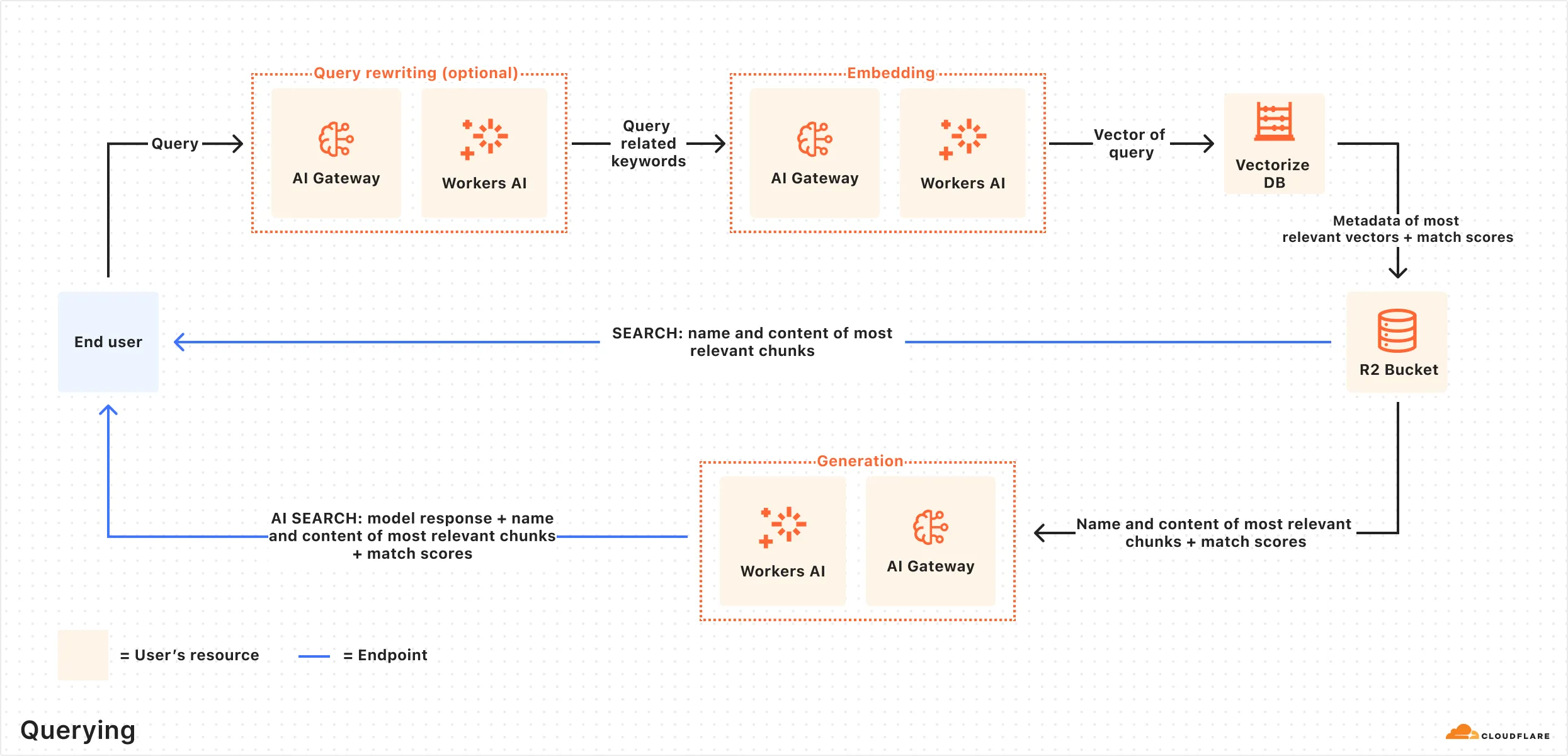
Here is how the querying pipeline works:
- Receive query from AI Search API: The query workflow begins when you send a request to either the AI Search's Chat Completions or Search endpoints.
- Query rewriting (optional): AI Search provides the option to rewrite the input query using one of Workers AI's LLMs to improve retrieval quality by transforming the original query into a more effective search query.
- Embedding the query: The rewritten (or original) query is transformed into a vector using the same embedding model used to embed your data.
- Vector search: The query vector is matched against stored vectors to find semantically similar content.
- Keyword search (optional): When hybrid search is enabled, a BM25 keyword search runs in parallel with vector search.
- Fusion (optional): When using hybrid search, vector and keyword results are combined using the configured fusion method.
- Reranking (optional): A cross-encoder model re-scores results by evaluating the query and document together. Refer to Reranking for details.
- Content retrieval: The most relevant chunks and their source content are returned. If you are using the Search endpoint, the content is returned at this point.
- Response generation: If you are using the Chat Completions endpoint, a text-generation model generates a response using the retrieved content. Refer to System prompt for details.