

AI Gateway logs now capture the user agent of the client that made each request, making it easier to identify which SDK, library, or application sent the traffic flowing through your gateway. For example, you can tell apart requests coming from
openai-pythonversus a custom application or a Cloudflare Worker.The user agent appears alongside the other details in each log entry, and you can filter logs by user agent (equals, does not equal, or contains) in the dashboard.
For more information, refer to Logging.
AI Gateway now supports spend limits — cost-based budgets that track cumulative dollar spend and block requests when the budget is exceeded. Unlike rate limiting, which caps the number of requests, spend limits track actual cost based on token usage and model pricing.
You can scope limits by model, provider, or custom metadata dimensions. For example, give each user a $200/day budget, cap total gateway spend at $10,000/day, or limit a specific model to $50/day per user. Each rule uses a configurable time window with fixed or sliding enforcement.
Spend limits work with both Unified Billing and BYOK requests for models with known pricing.
For more details, refer to the Spend limits documentation.
AI Gateway now uses the AI REST API on
api.cloudflare.com. You can call any model — whether from OpenAI, Anthropic, Google, or hosted on Workers AI — through one unified API, using the same endpoints and authentication regardless of provider. Four endpoints are available:POST /ai/run— universal endpoint for all models and modalitiesPOST /ai/v1/chat/completions— OpenAI SDK compatiblePOST /ai/v1/responses— OpenAI Responses API compatiblePOST /ai/v1/messages— Anthropic SDK compatible
Terminal window curl -X POST "https://api.cloudflare.com/client/v4/accounts/$CLOUDFLARE_ACCOUNT_ID/ai/v1/chat/completions" \--header "Authorization: Bearer $CLOUDFLARE_API_TOKEN" \--header "Content-Type: application/json" \--data '{"model": "openai/gpt-5.5","messages": [{"role": "user", "content": "What is Cloudflare?"}]}'All AI Gateway features — logging, caching, rate limiting, and guardrails — are applied automatically. Third-party models are billed through Unified Billing, so you do not need to manage separate provider API keys.
Third-party model requests are routed through your account's default gateway, which is created automatically on first use. To route requests through a specific gateway, add the
cf-aig-gateway-idheader.If you are already calling Workers AI models through the existing REST API, that path (
/ai/run/@cf/{model}) continues to work. To call Workers AI models through AI Gateway, use the@cf/model prefix (for example,@cf/moonshotai/kimi-k2.6) and include thecf-aig-gateway-idheader to specify which gateway to route through.For more details and examples, refer to the REST API documentation.
AI Gateway now supports automatic retries at the gateway level. When an upstream provider returns an error, your gateway retries the request based on the retry policy you configure, without requiring any client-side changes.
You can configure the retry count (up to 5 attempts), the delay between retries (from 100ms to 5 seconds), and the backoff strategy (Constant, Linear, or Exponential). These defaults apply to all requests through the gateway, and per-request headers can override them.
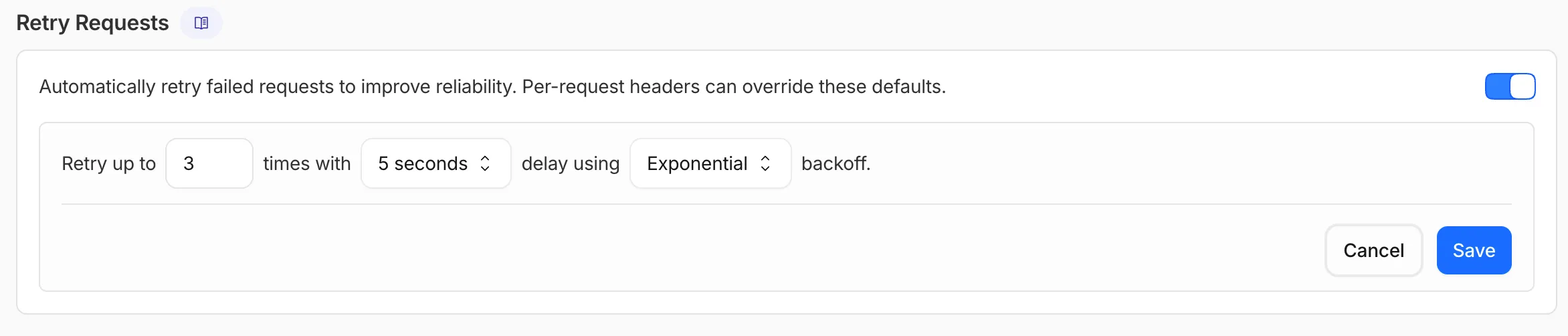
This is particularly useful when you do not control the client making the request and cannot implement retry logic on the caller side. For more complex failover scenarios — such as failing across different providers — use Dynamic Routing.
For more information, refer to Manage gateways.
AI Gateway now supports the
cf-aig-collect-log-payloadheader, which controls whether request and response bodies are stored in logs. By default, this header is set totrueand payloads are stored alongside metadata. Set this header tofalseto skip payload storage while still logging metadata such as token counts, model, provider, status code, cost, and duration.This is useful when you need usage metrics but do not want to persist sensitive prompt or response data.
Terminal window curl https://gateway.ai.cloudflare.com/v1/$ACCOUNT_ID/$GATEWAY_ID/openai/chat/completions \--header "Authorization: Bearer $TOKEN" \--header 'Content-Type: application/json' \--header 'cf-aig-collect-log-payload: false' \--data '{"model": "gpt-4o-mini","messages": [{"role": "user","content": "What is the email address and phone number of user123?"}]}'For more information, refer to Logging.
You can now start using AI Gateway with a single API call — no setup required. Use
defaultas your gateway ID, and AI Gateway creates one for you automatically on the first request.To try it out, create an API token with
AI Gateway - Read,AI Gateway - Edit, andWorkers AI - Readpermissions, then run:Terminal window curl -X POST https://gateway.ai.cloudflare.com/v1/$CLOUDFLARE_ACCOUNT_ID/default/compat/chat/completions \--header "cf-aig-authorization: Bearer $CLOUDFLARE_API_TOKEN" \--header 'Content-Type: application/json' \--data '{"model": "workers-ai/@cf/meta/llama-3.3-70b-instruct-fp8-fast","messages": [{"role": "user","content": "What is Cloudflare?"}]}'AI Gateway gives you logging, caching, rate limiting, and access to multiple AI providers through a single endpoint. For more information, refer to Get started.
Workers AI and AI Gateway have received a series of dashboard improvements to help you get started faster and manage your AI workloads more easily.
Navigation and discoverability
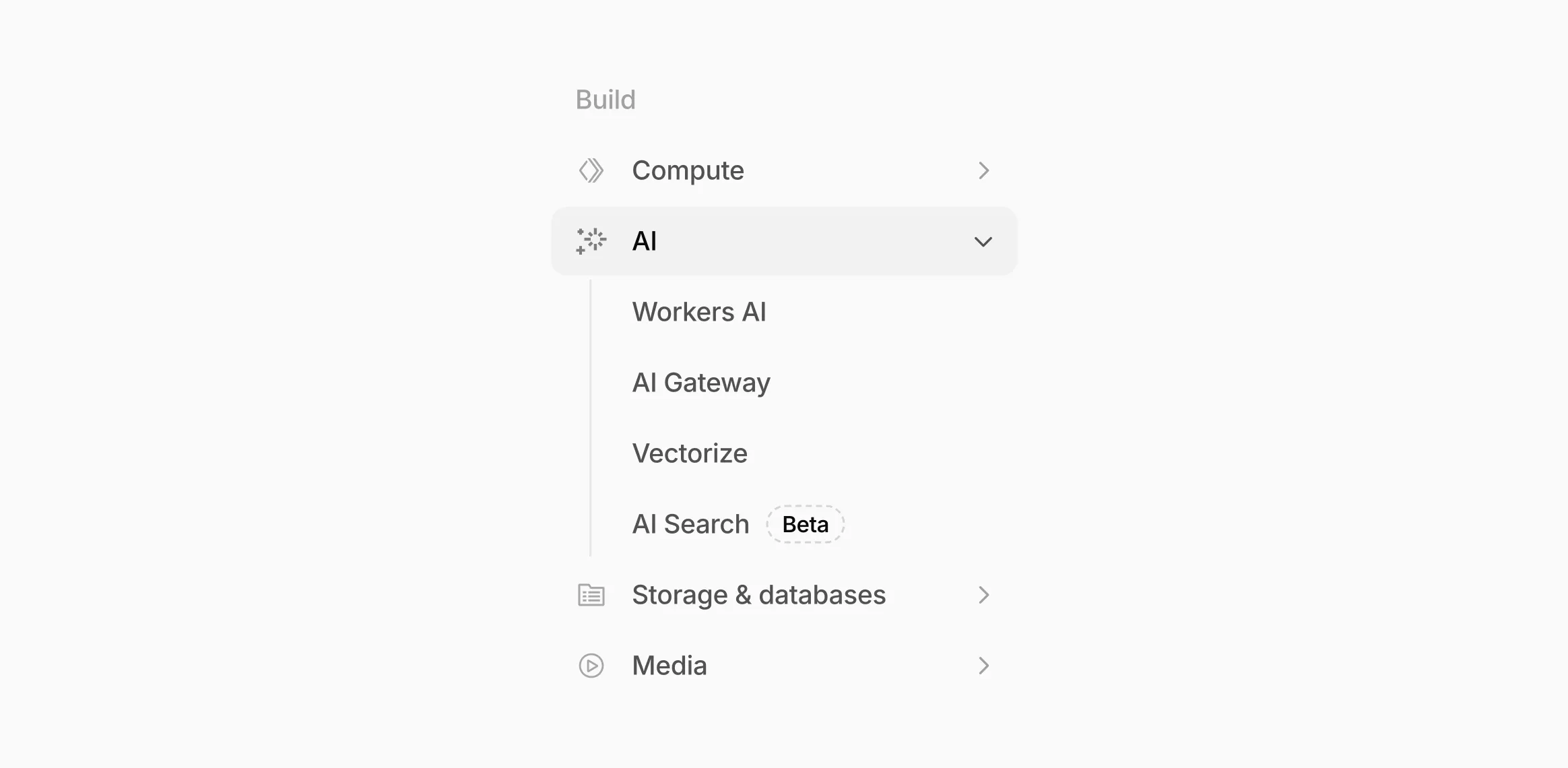
AI now has its own top-level section in the Cloudflare dashboard sidebar, so you can find AI features without digging through menus.
Onboarding and getting started
Getting started with AI Gateway is now simpler. When you create your first gateway, we now show your gateway's OpenAI-compatible endpoint and step-by-step guidance to help you configure it. The Playground also includes helpful prompts, and usage pages have clear next steps if you have not made any requests yet.
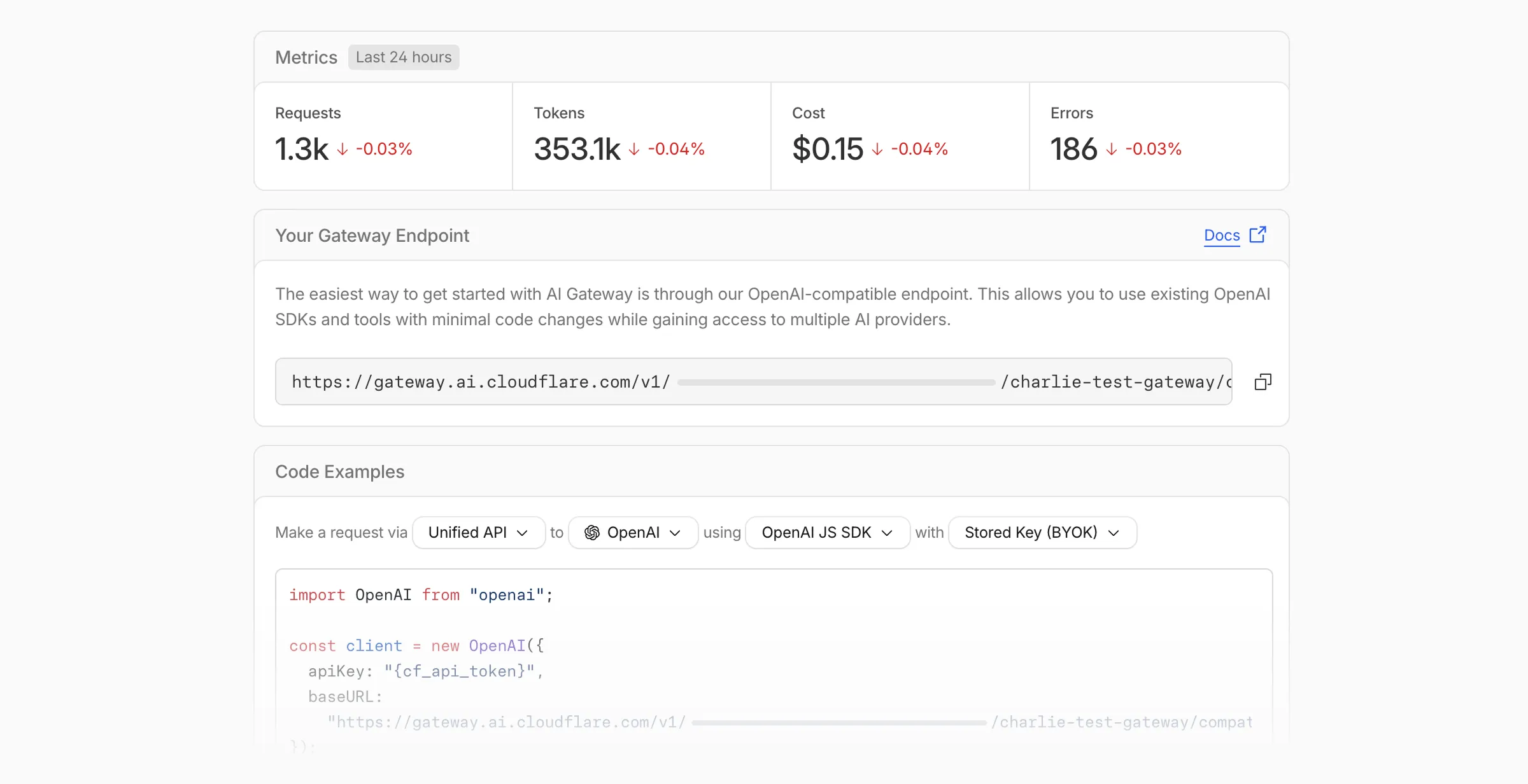
We've also combined the previously separate code example sections into one view with dropdown selectors for API type, provider, SDK, and authentication method so you can now customize the exact code snippet you need from one place.
Dynamic Routing
- The route builder is now more performant and responsive.
- You can now copy route names to your clipboard with a single click.
- Code examples use the Universal Endpoint format, making it easier to integrate routes into your application.
Observability and analytics
- Small monetary values now display correctly in cost analytics charts, so you can accurately track spending at any scale.
Accessibility
- Improvements to keyboard navigation within the AI Gateway, specifically when exploring usage by provider.
- Improvements to sorting and filtering components on the Workers AI models page.
For more information, refer to the AI Gateway documentation.
Cloudflare Secrets Store is now integrated with AI Gateway, allowing you to store, manage, and deploy your AI provider keys in a secure and seamless configuration through Bring Your Own Key ↗. Instead of passing your AI provider keys directly in every request header, you can centrally manage each key with Secrets Store and deploy in your gateway configuration using only a reference, rather than passing the value in plain text.
You can now create a secret directly from your AI Gateway in the dashboard ↗ by navigating into your gateway -> Provider Keys -> Add.
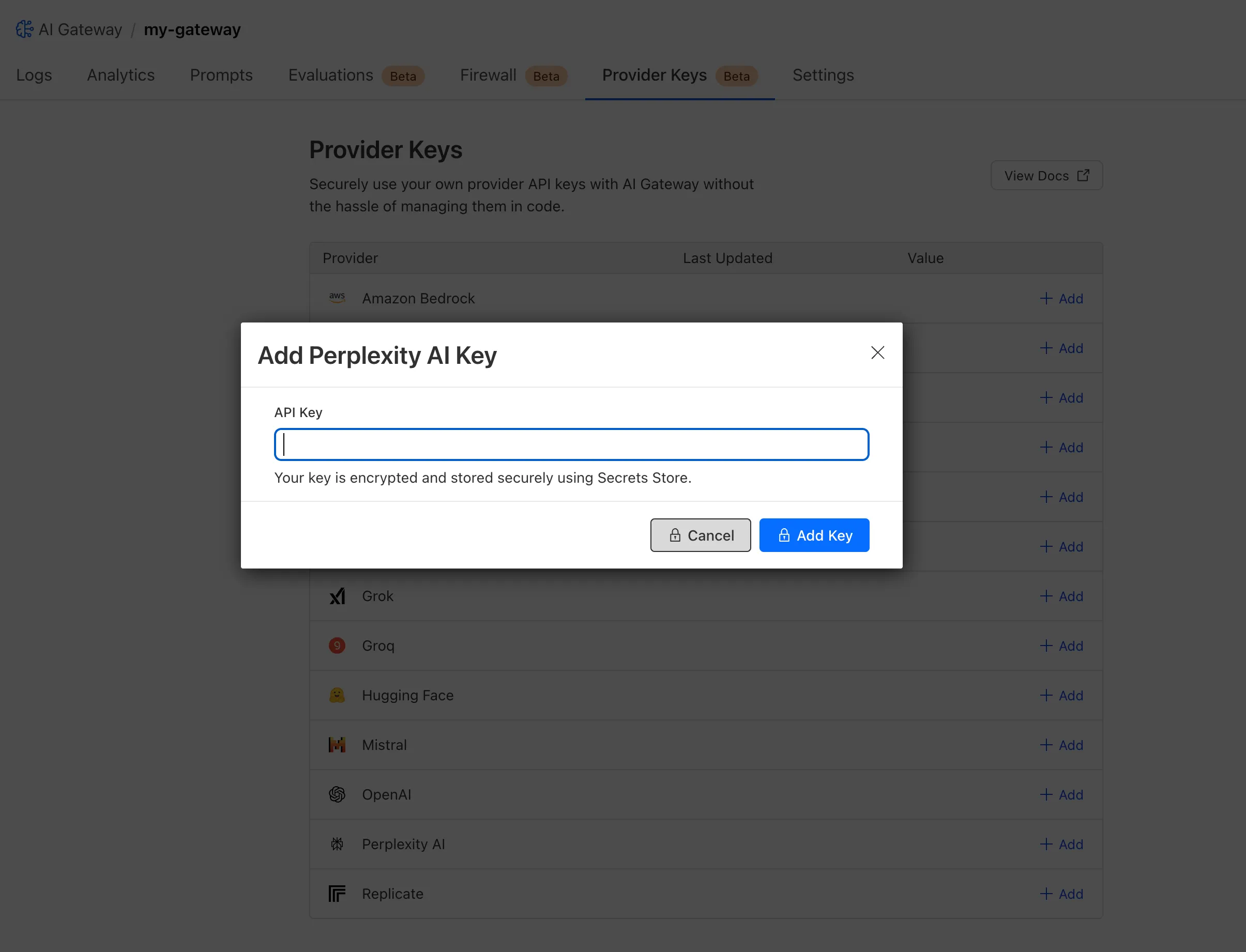
You can also create your secret with the newly available ai_gateway scope via wrangler ↗, the Secrets Store dashboard ↗, or the API ↗.
Then, pass the key in the request header using its Secrets Store reference:
Terminal window curl -X POST https://gateway.ai.cloudflare.com/v1/<ACCOUNT_ID>/my-gateway/anthropic/v1/messages \--header 'cf-aig-authorization: ANTHROPIC_KEY_1 \--header 'anthropic-version: 2023-06-01' \--header 'Content-Type: application/json' \--data '{"model": "claude-3-opus-20240229", "messages": [{"role": "user", "content": "What is Cloudflare?"}]}'Or, using Javascript:
import Anthropic from '@anthropic-ai/sdk';const anthropic = new Anthropic({apiKey: "ANTHROPIC_KEY_1",baseURL: "https://gateway.ai.cloudflare.com/v1/<ACCOUNT_ID>/my-gateway/anthropic",});const message = await anthropic.messages.create({model: 'claude-3-opus-20240229',messages: [{role: "user", content: "What is Cloudflare?"}],max_tokens: 1024});For more information, check out the blog ↗!
Users can now use an OpenAI Compatible endpoint in AI Gateway to easily switch between providers, while keeping the exact same request and response formats. We're launching now with the chat completions endpoint, with the embeddings endpoint coming up next.
To get started, use the OpenAI compatible chat completions endpoint URL with your own account id and gateway id and switch between providers by changing the
modelandapiKeyparameters.OpenAI SDK Example import OpenAI from "openai";const client = new OpenAI({apiKey: "YOUR_PROVIDER_API_KEY", // Provider API keybaseURL:"https://gateway.ai.cloudflare.com/v1/{account_id}/{gateway_id}/compat",});const response = await client.chat.completions.create({model: "google-ai-studio/gemini-2.0-flash",messages: [{ role: "user", content: "What is Cloudflare?" }],});console.log(response.choices[0].message.content);Additionally, the OpenAI Compatible endpoint can be combined with our Universal Endpoint to add fallbacks across multiple providers. That means AI Gateway will return every response in the same standardized format, no extra parsing logic required!
Learn more in the OpenAI Compatibility documentation.
We are excited to announce that AI Gateway now supports real-time AI interactions with the new Realtime WebSockets API.
This new capability allows developers to establish persistent, low-latency connections between their applications and AI models, enabling natural, real-time conversational AI experiences, including speech-to-speech interactions.
The Realtime WebSockets API works with the OpenAI Realtime API ↗, Google Gemini Live API ↗, and supports real-time text and speech interactions with models from Cartesia ↗, and ElevenLabs ↗.
Here's how you can connect AI Gateway to OpenAI's Realtime API ↗ using WebSockets:
OpenAI Realtime API example import WebSocket from "ws";const url ="wss://gateway.ai.cloudflare.com/v1/<account_id>/<gateway>/openai?model=gpt-4o-realtime-preview-2024-12-17";const ws = new WebSocket(url, {headers: {"cf-aig-authorization": process.env.CLOUDFLARE_API_KEY,Authorization: "Bearer " + process.env.OPENAI_API_KEY,"OpenAI-Beta": "realtime=v1",},});ws.on("open", () => console.log("Connected to server."));ws.on("message", (message) => console.log(JSON.parse(message.toString())));ws.send(JSON.stringify({type: "response.create",response: { modalities: ["text"], instructions: "Tell me a joke" },}),);Get started by checking out the Realtime WebSockets API documentation.
AI Gateway now includes Guardrails, to help you monitor your AI apps for harmful or inappropriate content and deploy safely.
Within the AI Gateway settings, you can configure:
- Guardrails: Enable or disable content moderation as needed.
- Evaluation scope: Select whether to moderate user prompts, model responses, or both.
- Hazard categories: Specify which categories to monitor and determine whether detected inappropriate content should be blocked or flagged.

Learn more in the blog ↗ or our documentation.
AI Gateway adds additional ways to handle requests - Request Timeouts and Request Retries, making it easier to keep your applications responsive and reliable.
Timeouts and retries can be used on both the Universal Endpoint or directly to a supported provider.
Request timeouts A request timeout allows you to trigger fallbacks or a retry if a provider takes too long to respond.
To set a request timeout directly to a provider, add a
cf-aig-request-timeoutheader.Provider-specific endpoint example curl https://gateway.ai.cloudflare.com/v1/{account_id}/{gateway_id}/workers-ai/@cf/meta/llama-3.1-8b-instruct \--header 'Authorization: Bearer {cf_api_token}' \--header 'Content-Type: application/json' \--header 'cf-aig-request-timeout: 5000'--data '{"prompt": "What is Cloudflare?"}'Request retries A request retry automatically retries failed requests, so you can recover from temporary issues without intervening.
To set up request retries directly to a provider, add the following headers:
- cf-aig-max-attempts (number)
- cf-aig-retry-delay (number)
- cf-aig-backoff ("constant" | "linear" | "exponential)
AI Gateway has added three new providers: Cartesia, Cerebras, and ElevenLabs, giving you more even more options for providers you can use through AI Gateway. Here's a brief overview of each:
- Cartesia provides text-to-speech models that produce natural-sounding speech with low latency.
- Cerebras delivers low-latency AI inference to Meta's Llama 3.1 8B and Llama 3.3 70B models.
- ElevenLabs offers text-to-speech models with human-like voices in 32 languages.
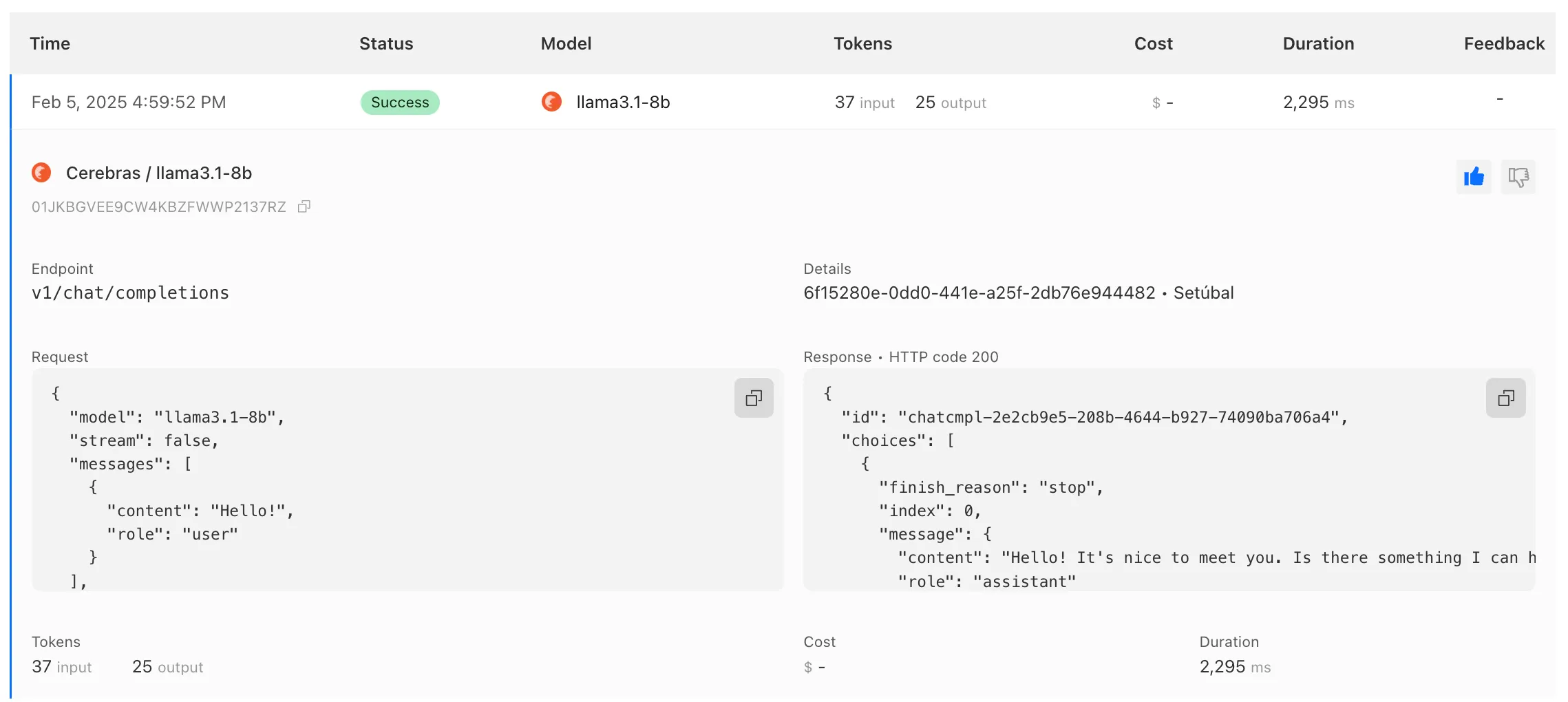
To get started with AI Gateway, just update the base URL. Here's how you can send a request to Cerebras using cURL:
Example fetch request curl -X POST https://gateway.ai.cloudflare.com/v1/ACCOUNT_TAG/GATEWAY/cerebras/chat/completions \--header 'content-type: application/json' \--header 'Authorization: Bearer CEREBRAS_TOKEN' \--data '{"model": "llama-3.3-70b","messages": [{"role": "user","content": "What is Cloudflare?"}]}'
We have released new Workers bindings API methods, allowing you to connect Workers applications to AI Gateway directly. These methods simplify how Workers calls AI services behind your AI Gateway configurations, removing the need to use the REST API and manually authenticate.
To add an AI binding to your Worker, include the following in your Wrangler configuration file:

With the new AI Gateway binding methods, you can now:
- Send feedback and update metadata with
patchLog. - Retrieve detailed log information using
getLog. - Execute universal requests to any AI Gateway provider with
run.
For example, to send feedback and update metadata using
patchLog: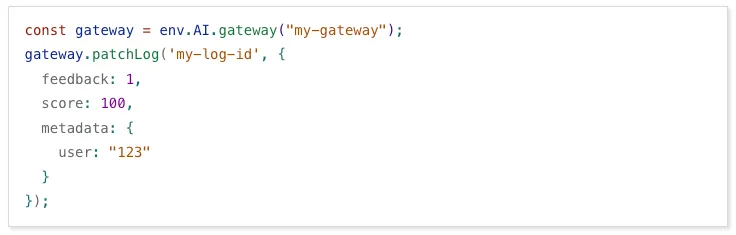
- Send feedback and update metadata with
AI Gateway now supports DeepSeek, including their cutting-edge DeepSeek-V3 model. With this addition, you have even more flexibility to manage and optimize your AI workloads using AI Gateway. Whether you're leveraging DeepSeek or other providers, like OpenAI, Anthropic, or Workers AI, AI Gateway empowers you to:
- Monitor: Gain actionable insights with analytics and logs.
- Control: Implement caching, rate limiting, and fallbacks.
- Optimize: Improve performance with feedback and evaluations.

To get started, simply update the base URL of your DeepSeek API calls to route through AI Gateway. Here's how you can send a request using cURL:
Example fetch request curl https://gateway.ai.cloudflare.com/v1/{account_id}/{gateway_id}/deepseek/chat/completions \--header 'content-type: application/json' \--header 'Authorization: Bearer DEEPSEEK_TOKEN' \--data '{"model": "deepseek-chat","messages": [{"role": "user","content": "What is Cloudflare?"}]}'For detailed setup instructions, see our DeepSeek provider documentation.