
Network Flow
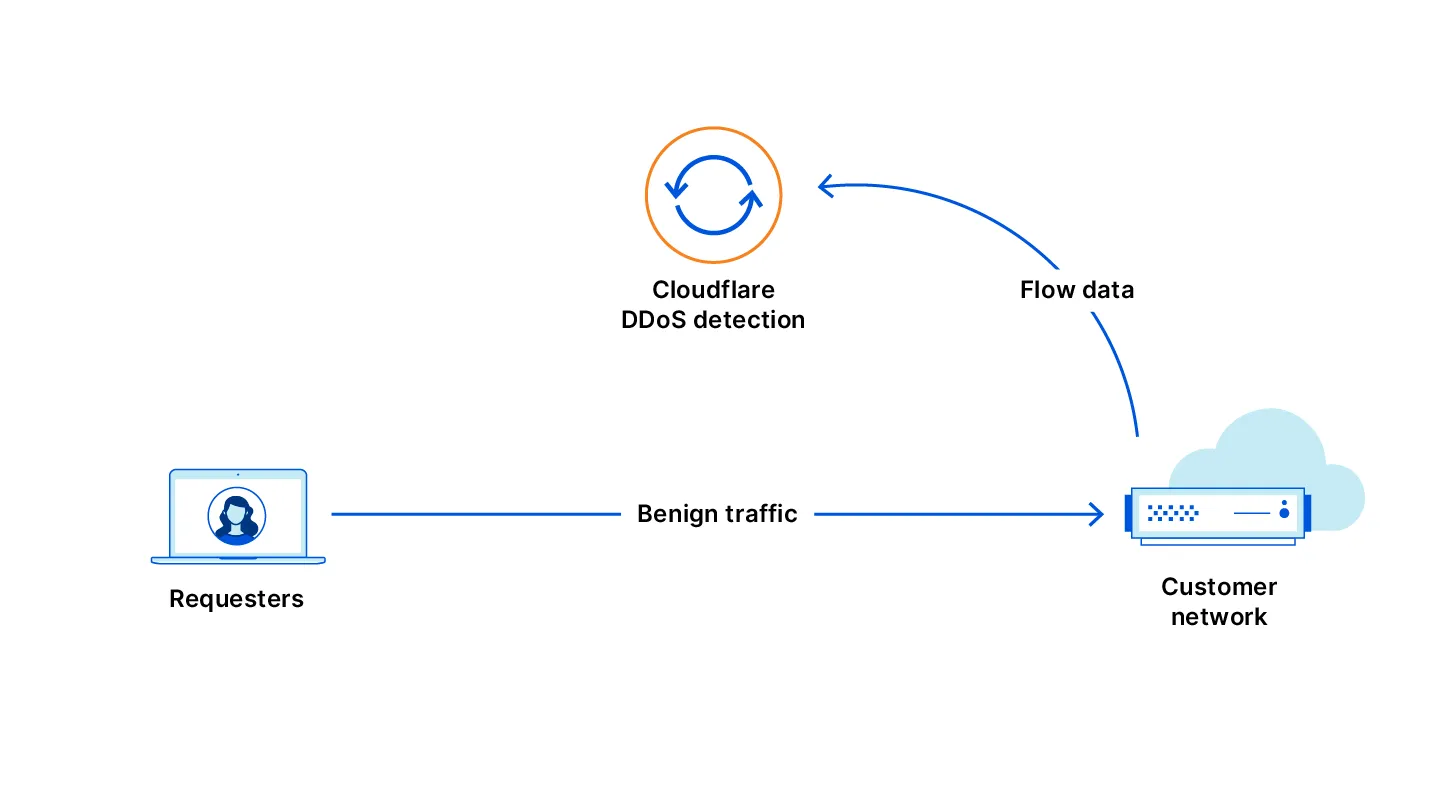
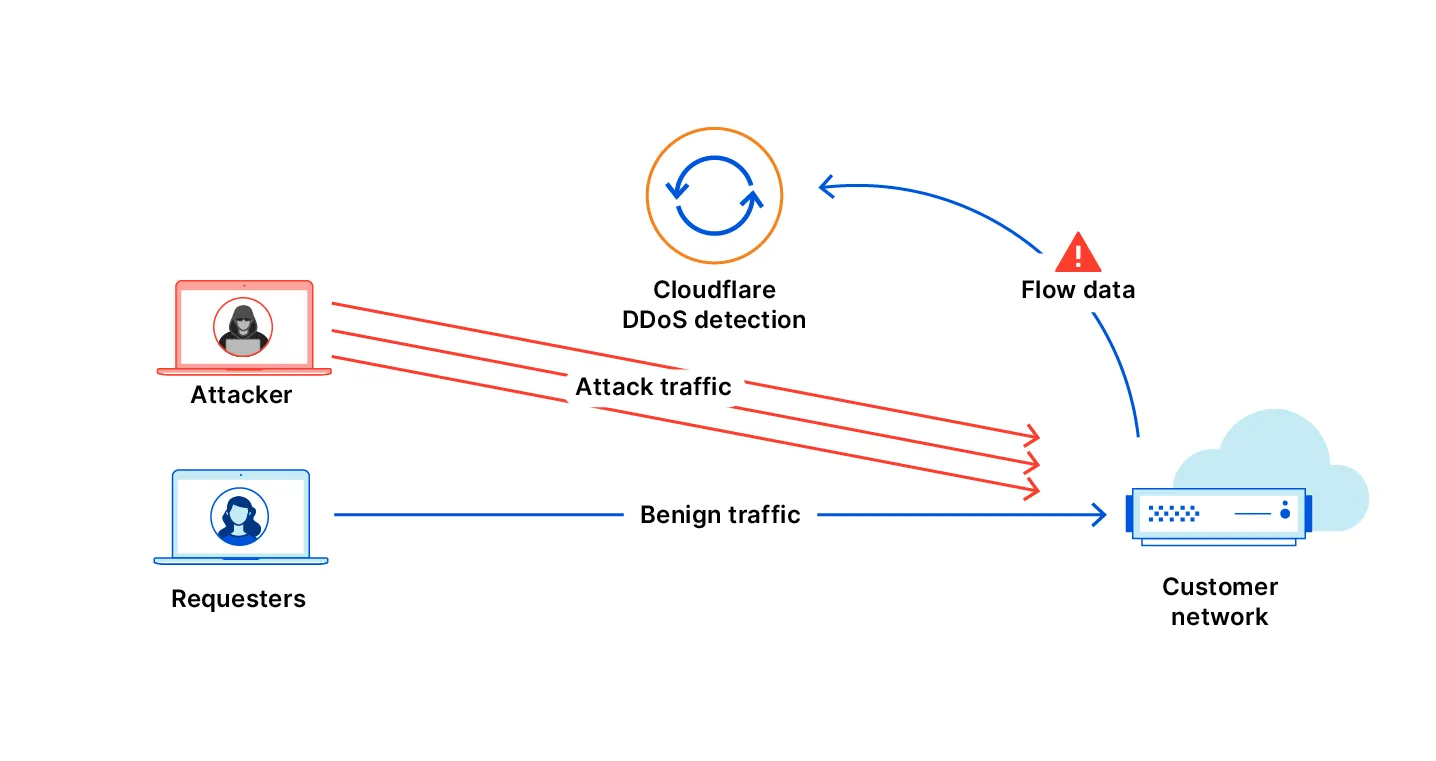
Magic Transit On Demand allows you to keep Magic Transit disabled during normal operations and activate it only when you need DDoS protection. Network Flow monitors your traffic while Magic Transit is off and detects attacks. When an attack is detected, you can enable Magic Transit automatically or manually.
You can create Network Flow rules that monitor specific IP prefixes for DDoS attacks. When an attack is detected, Cloudflare notifies you by email, webhook, or PagerDuty.
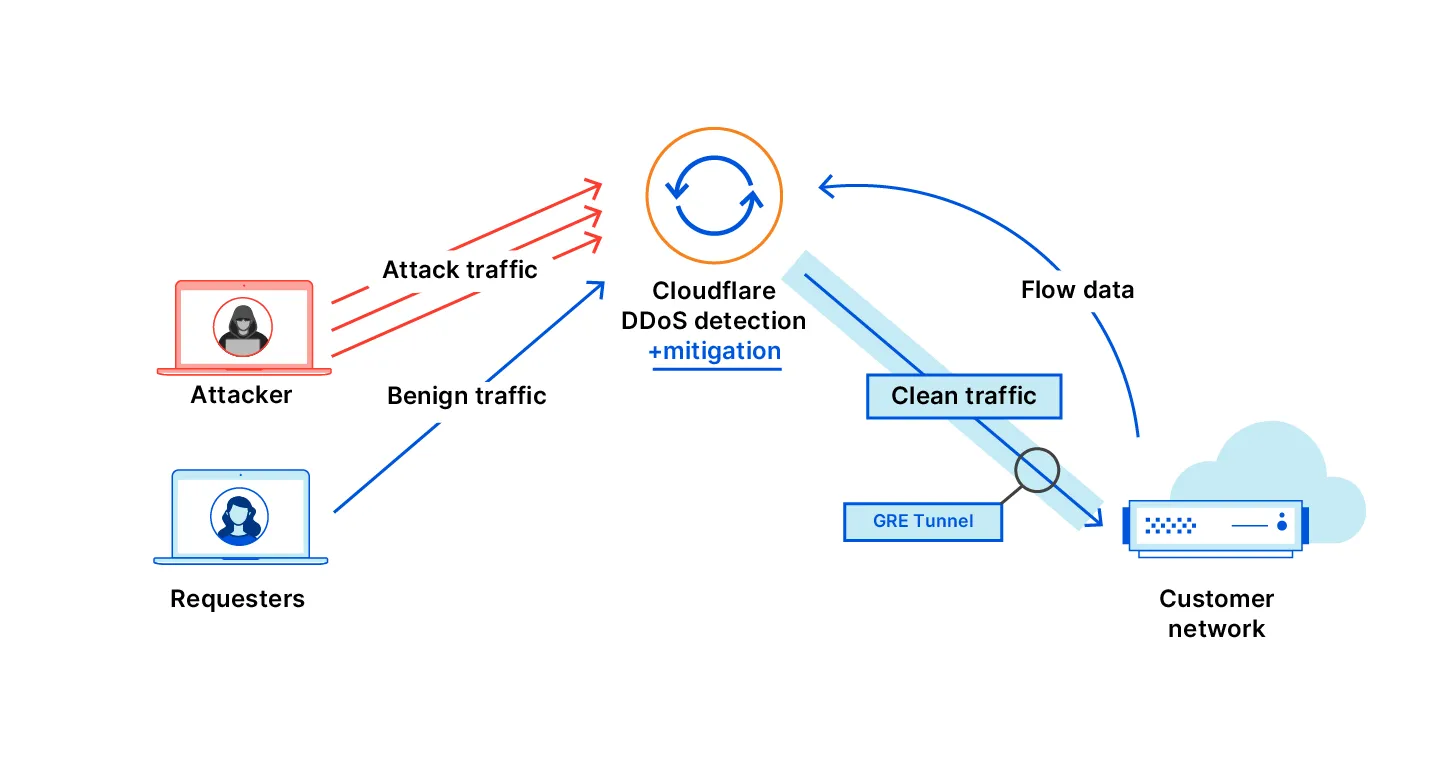
If you enable auto-advertisement on a rule, Magic Transit activates automatically to protect the targeted prefixes. You can enable auto-advertisement for individual Network Flow rules through the dashboard or API.
After Magic Transit activates and your traffic flows through Cloudflare, Cloudflare blocks malicious DDoS traffic. Your origin servers receive only clean traffic through IPsec or GRE tunnels.
The following diagrams illustrate this process:
Before a rule can automatically activate Magic Transit, you must enable IP advertisement for the relevant prefixes. You can do this through the dashboard or the API.
To activate IP advertisement through the Cloudflare dashboard, refer to Configure dynamic advertisement.
To activate IP advertisement through the API, refer to the IP Address Management Dynamic Advertisement API.
To create Network Flow rules with auto-advertisement, refer to Rule Auto-Advertisement.