
Cloudflare has introduced new fields to two Gateway-related datasets in Cloudflare Logs:
-
Gateway HTTP:
ApplicationIDs,ApplicationNames,CategoryIDs,CategoryNames,DestinationIPContinentCode,DestinationIPCountryCode,ProxyEndpoint,SourceIPContinentCode,SourceIPCountryCode,VirtualNetworkID, andVirtualNetworkName. -
Gateway Network:
ApplicationIDs,ApplicationNames,DestinationIPContinentCode,DestinationIPCountryCode,ProxyEndpoint,SourceIPContinentCode,SourceIPCountryCode,TransportProtocol,VirtualNetworkID, andVirtualNetworkName.
-
Every site on Cloudflare now has access to AI Audit, which summarizes the crawling behavior of popular and known AI services.
You can use this data to:
- Understand how and how often crawlers access your site (and which content is the most popular).
- Block specific AI bots accessing your site.
- Use Cloudflare to enforce your
robots.txtpolicy via an automatic WAF rule.
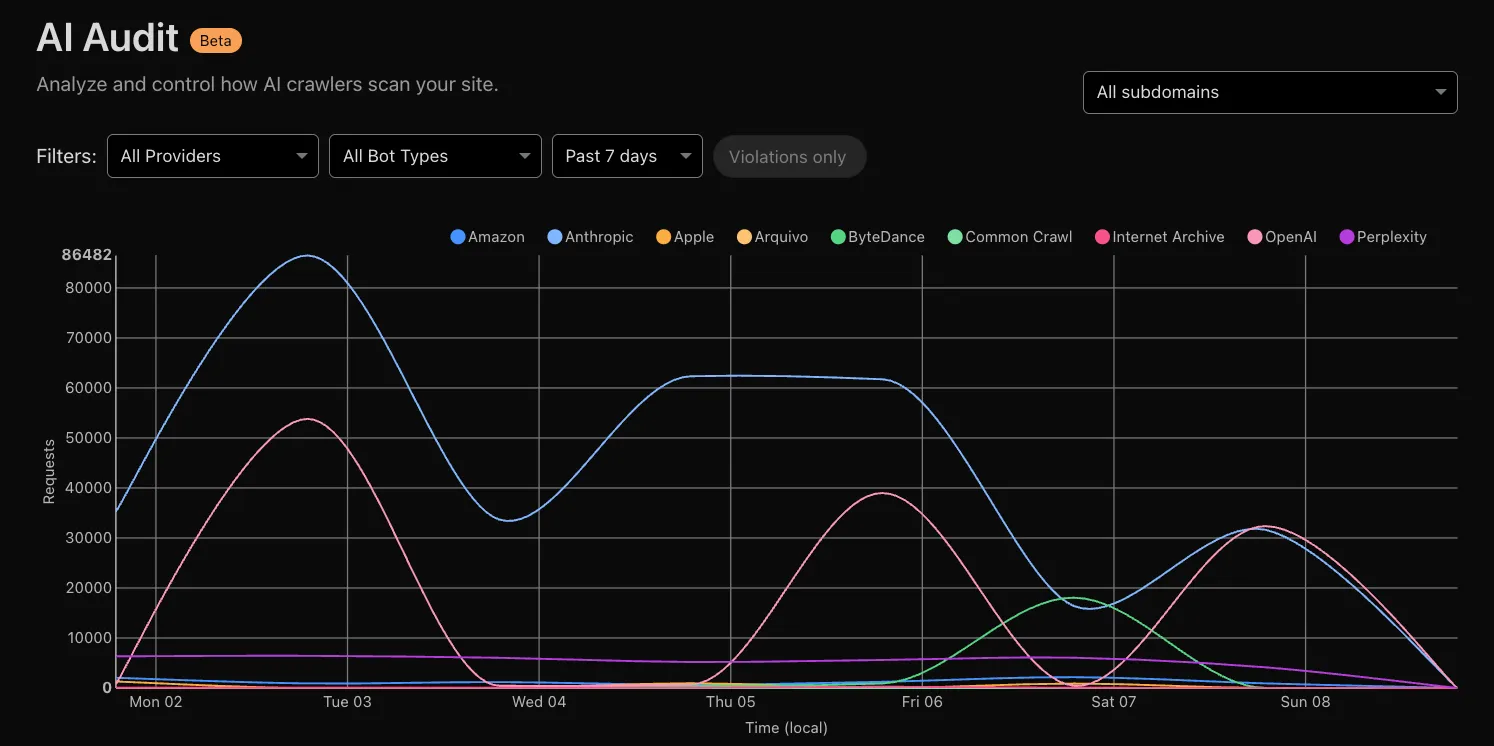
To get started, explore AI audit.
Now, you can create common rule configurations in just one click using Rules Templates.

What you can do:
- Pick a pre-built rule – Choose from a library of templates.
- One-click setup – Deploy best practices instantly.
- Customize as needed – Adjust templates to fit your setup.
Template cards are now also available directly in the rule builder for each product.
Need more ideas? Check out the Examples gallery in our documentation.