
Changelog
New updates and improvements at Cloudflare.

42 new applications have been added for Zero Trust support within the Application Library and Gateway policy enforcement, giving you the ability to investigate or apply inline policies to these applications.
33 of the 42 applications are Artificial Intelligence applications. The others are Human Resources (2 applications), Development (2 applications), Productivity (2 applications), Sales & Marketing, Public Cloud, and Security.
To view all available applications, log in to your Cloudflare Zero Trust dashboard ↗, navigate to the App Library under My Team.
For more information on creating Gateway policies, see our Gateway policy documentation.
A new Access Analytics dashboard is now available to all Cloudflare One customers. Customers can apply and combine multiple filters to dive into specific slices of their Access metrics. These filters include:
- Logins granted and denied
- Access events by type (SSO, Login, Logout)
- Application name (Salesforce, Jira, Slack, etc.)
- Identity provider (Okta, Google, Microsoft, onetimepin, etc.)
- Users (
chris@cloudflare.com,sally@cloudflare.com,rachel@cloudflare.com, etc.) - Countries (US, CA, UK, FR, BR, CN, etc.)
- Source IP address
- App type (self-hosted, Infrastructure, RDP, etc.)
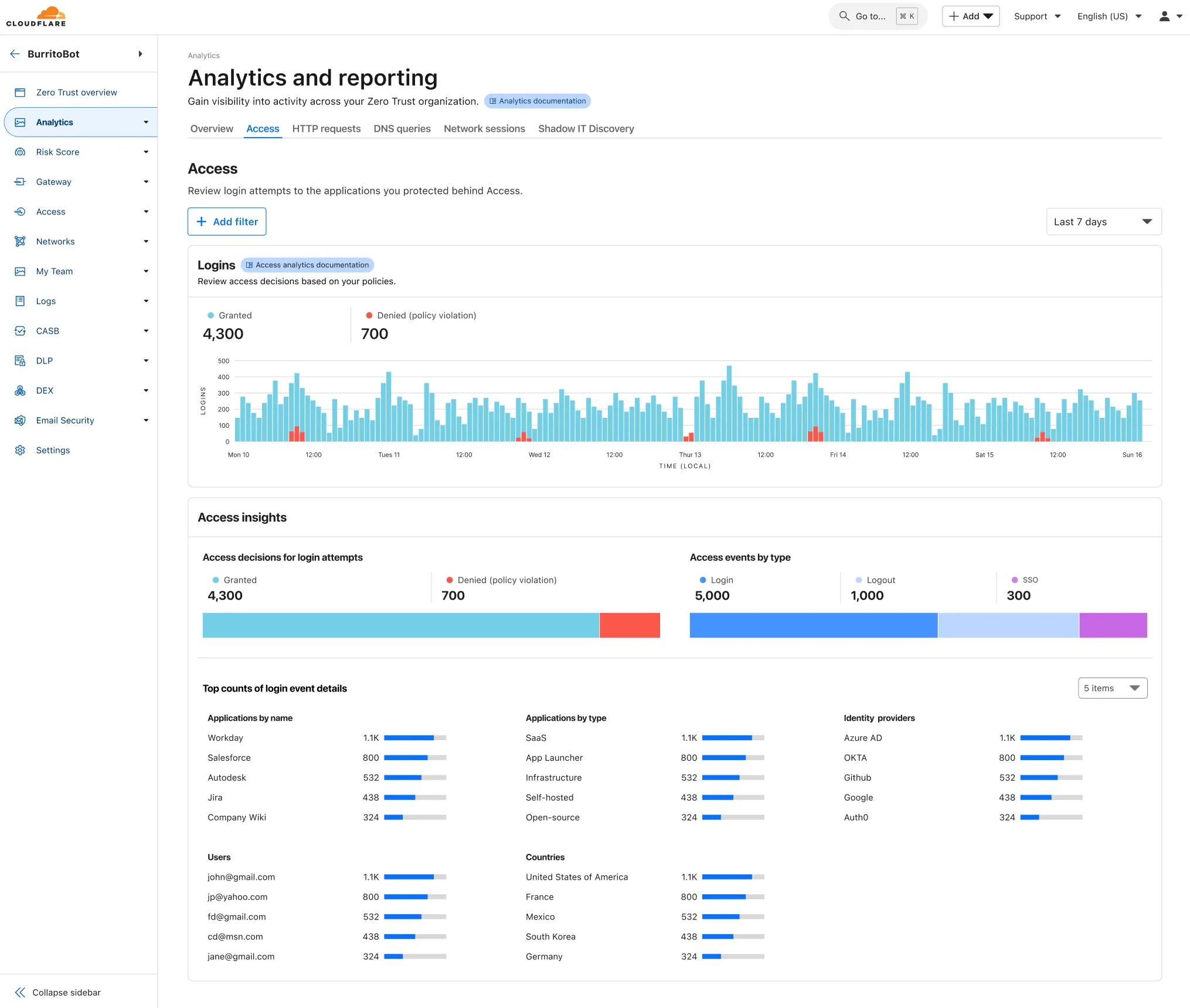
To access the new overview, log in to your Cloudflare Zero Trust dashboard ↗ and find Analytics in the side navigation bar.
The Cloudflare Zero Trust dashboard ↗ now supports Cloudflare's native dark mode for all accounts and plan types.
Zero Trust Dashboard will automatically accept your user-level preferences for system settings, so if your Dashboard appearance is set to 'system' or 'dark', the Zero Trust dashboard will enter dark mode whenever the rest of your Cloudflare account does.
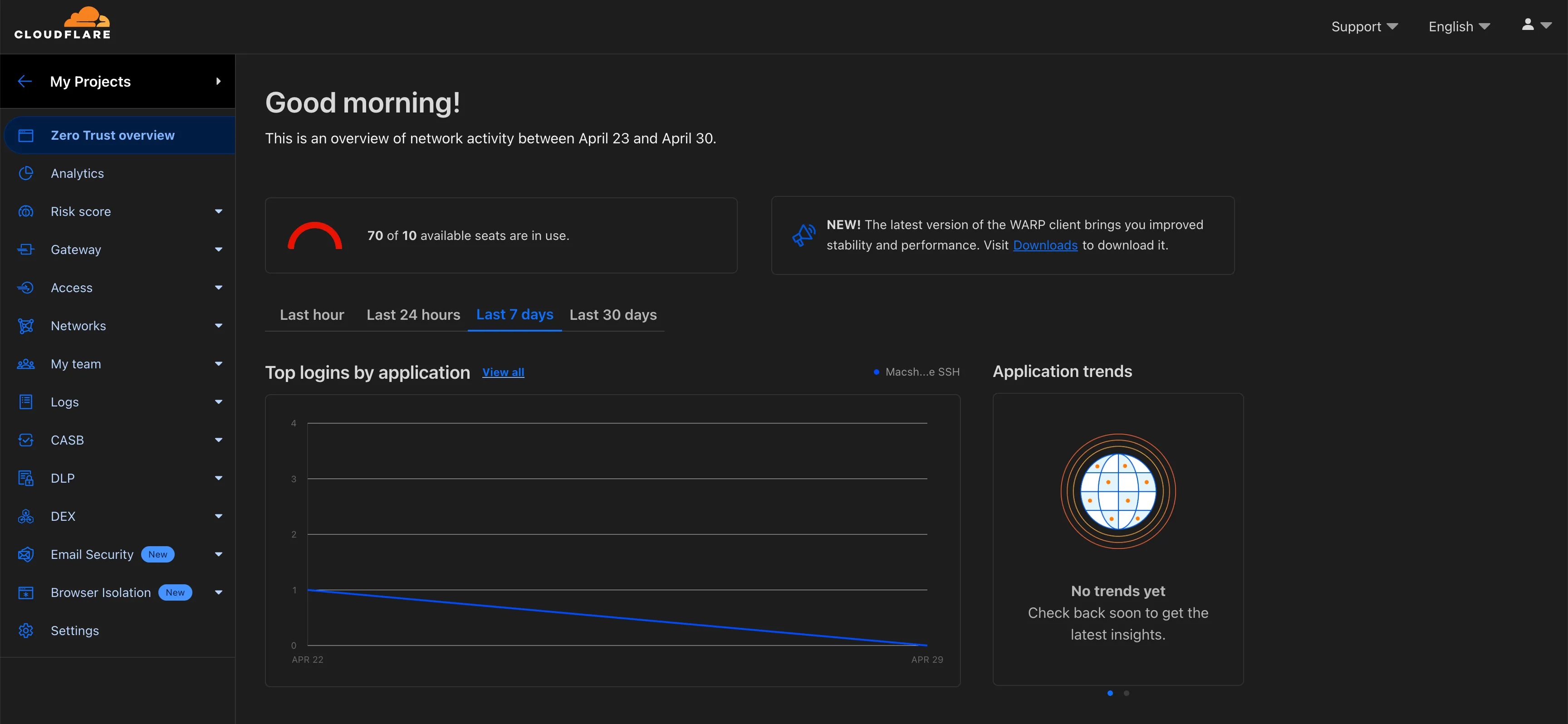
To update your view preference in the Zero Trust dashboard:
- Log into the Zero Trust dashboard ↗.
- Select your user icon.
- Select Dark Mode.
To update your view preference in the Core dashboard:
- Log into the Cloudflare dashboard ↗.
- Go to My Profile
- For Appearance, choose Dark.
Cloudflare One Appliance DHCP server settings now support specifying multiple DNS server IP addresses in the DHCP pool.
Previously, customers could only configure a single DNS server per DHCP pool. With this update, you can specify multiple DNS servers to provide redundancy for clients at branch locations.
For configuration details, refer to DHCP server.