

Browser Rendering is now Browser Run
We are renaming Browser Rendering to Browser Run. The name Browser Rendering never fully captured what the product does. Browser Run lets you run full browser sessions on Cloudflare's global network, drive them with code or AI, record and replay sessions, crawl pages for content, debug in real time, and let humans intervene when your agent needs help.
Along with the rename, we have increased limits for Workers Paid plans and redesigned the Browser Run dashboard.
We have 4x-ed concurrency limits for Workers Paid plan users:
- Concurrent browsers per account: 30 → 120 per account
- New browser instances: 30 per minute → 1 per second
- REST API rate limits: recently increased from 3 to 10 requests per second
Rate limits across the limits page are now expressed in per-second terms, matching how they are enforced. No action is needed to benefit from the higher limits.
The redesigned dashboard ↗ now shows every request in a single Runs tab, not just browser sessions but also quick actions like screenshots, PDFs, markdown, and crawls. Filter by endpoint, view target URLs, status, and duration, and expand any row for more detail.
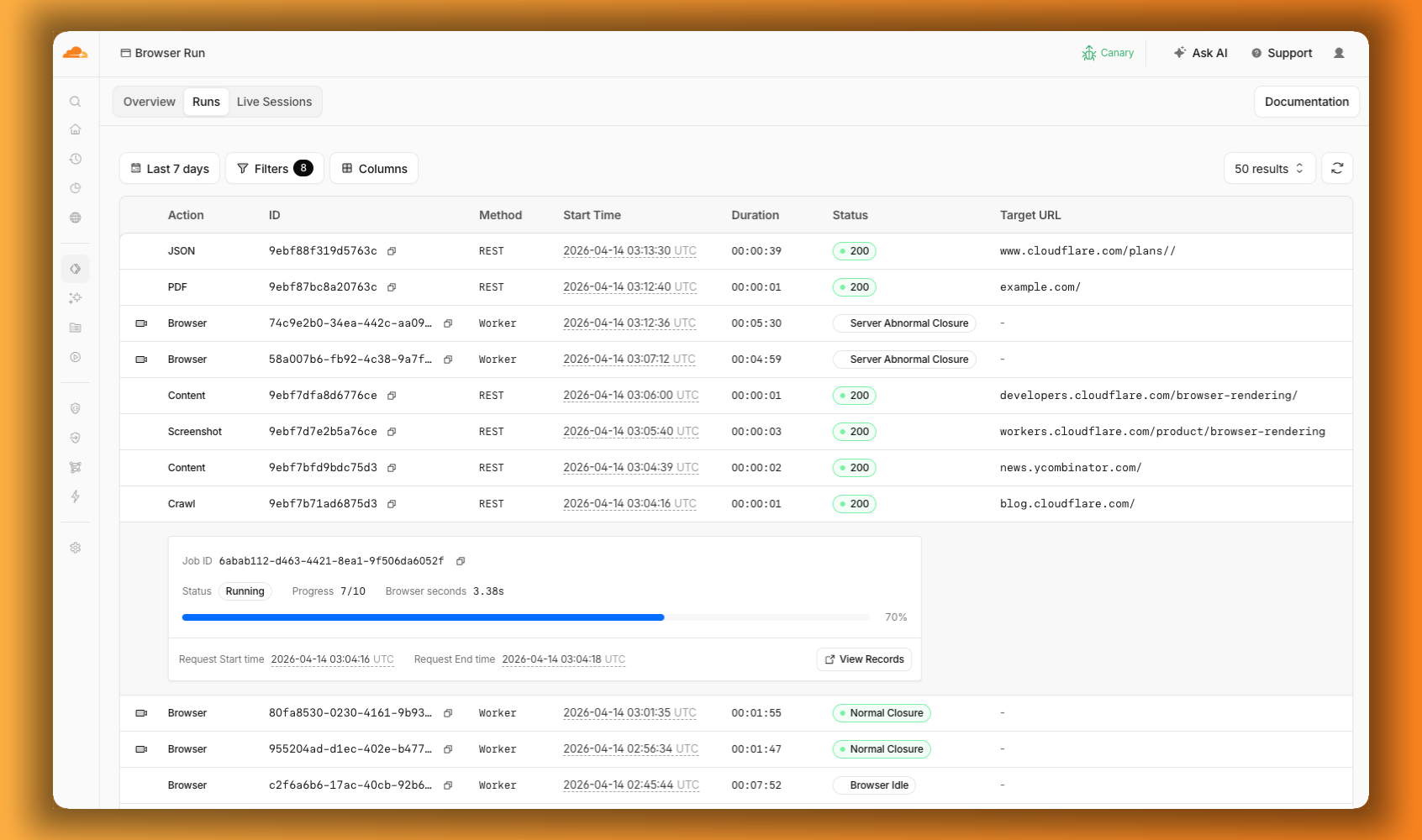
We are also shipping several new features:
- Live View, Human in the Loop, and Session Recordings - See what your agent is doing in real time, let humans step in when automation hits a wall, and replay any session after it ends.
- WebMCP - Websites can expose structured tools for AI agents to discover and call directly, replacing slow screenshot-analyze-click loops.
For the full story, read our Agents Week blog Browser Run: Give your agents a browser ↗.