

New GraphQL Analytics API Explorer and MCP Server
We’ve launched two powerful new tools to make the GraphQL Analytics API more accessible:
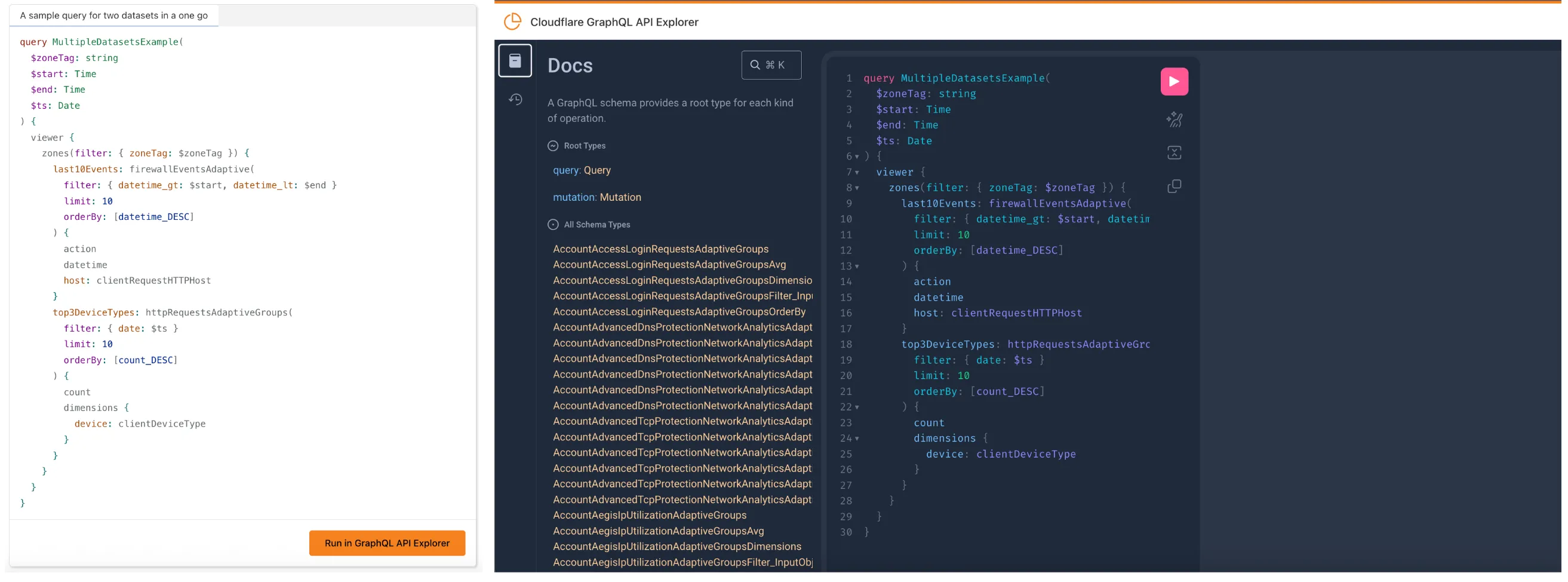
The new GraphQL API Explorer ↗ helps you build, test, and run queries directly in your browser. Features include:
- In-browser schema documentation to browse available datasets and fields
- Interactive query editor with autocomplete and inline documentation
- A "Run in GraphQL API Explorer" button to execute example queries from our docs
- Seamless OAuth authentication — no manual setup required
MCP Servers let you use natural language tools like Claude to generate structured queries against your data. See our blog post ↗ for details on how they work and which servers are available. The new GraphQL MCP server ↗ helps you discover and generate useful queries for the GraphQL Analytics API. With this server, you can:
- Explore what data is available to query
- Generate and refine queries using natural language, with one-click links to run them in the API Explorer
- Build dashboards and visualizations from structured query outputs
Example prompts include:
- “Show me HTTP traffic for the last 7 days for example.com”
- “What GraphQL node returns firewall events?”
- “Can you generate a link to the Cloudflare GraphQL API Explorer with a pre-populated query and variables?”
We’re continuing to expand these tools, and your feedback helps shape what’s next. Explore the documentation to learn more and get started.